
What Google’s Dashboards feature actually does
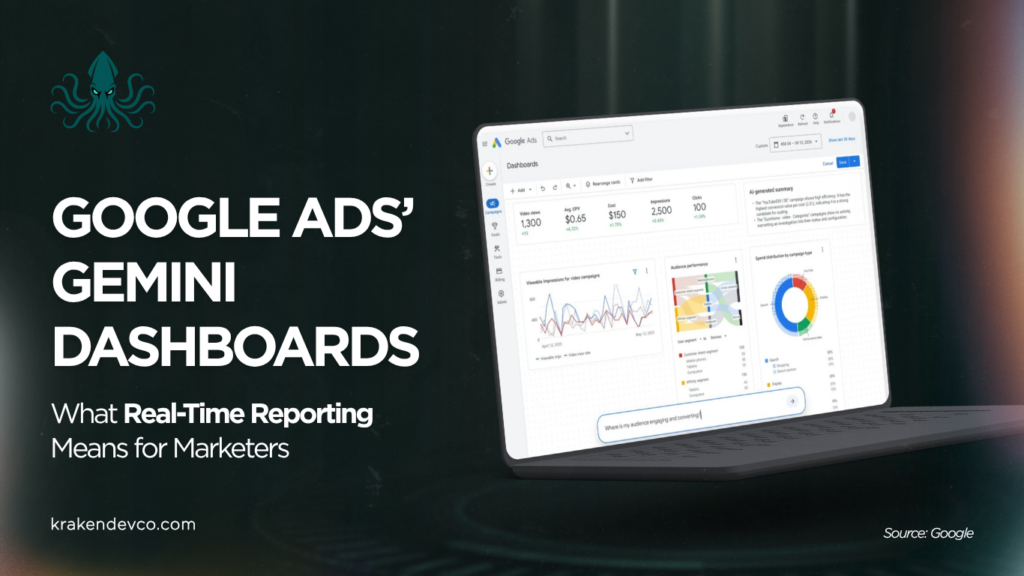
In May 2026, Google introduced Dashboards, a reporting tool built into Google Ads with Gemini. Instead of building reports manually, advertisers can explore their performance data by typing a prompt, and the charts, graphs and tables update in real time based on the query.
The dashboards show metrics such as impressions, clicks, video views and cost, and break performance down by device, audience and campaign type. For SMEs, marketing managers and in-house teams, that makes day-to-day reporting quicker to build and easier to act on.
Where conversational reporting helps most
The clearest benefit is speed. Many businesses run regular reports to check whether campaigns are attracting the right traffic, enquiries or engagement, and pulling those together manually takes time. Asking a question and getting an instant visual answer cuts that down.
It also lowers the barrier for non-specialists. Not every business owner or marketing manager wants to build a custom report from scratch. Being able to ask a plain question about campaign performance, without moving through several reporting views, makes the data more approachable.
And it helps join things up. Campaign performance is rarely explained by one metric on its own. Seeing clicks, cost, video views and impressions together, with visual breakdowns, can surface patterns that a single-metric view would miss.
Making the most of it in your own account
Start by deciding which Google Ads metrics actually matter to your business, such as clicks, cost, impressions and video views, so the questions you ask stay focused on decisions rather than noise.
Think about the questions you tend to ask when reviewing performance, and check whether your current reports are easy for business owners, directors and non-specialist stakeholders to understand. Avoid leaning on one metric in isolation, especially when comparing across devices, audiences or campaign types.
Make sure the wider tracking setup underneath it all supports good decisions, including GA4, consent and lead tracking where relevant. A faster dashboard is only as useful as the data feeding it.
The trap to watch for
The main risk is treating faster reporting as the same thing as better decisions. Real-time charts and conversational dashboards make information easier to reach, but the numbers still need context. It is worth looking at what the figures mean for leads, cost and campaign quality, rather than reacting to every short-term movement.
If your reporting needs a clearer setup
Kraken Dev Co can review how your Google Ads, GA4 and tracking setup supports clear reporting, help identify gaps in measurement, and simplify reporting views so campaign data is easier to interpret without adding unnecessary complexity.
Source used (verified this session)
Search Engine Land, Google Ads adds Gemini-powered Dashboards (12 May 2026): https://searchengineland.com/google-ads-adds-gemini-powered-dashboards-for-real-time-insights-477254